
5 Benefits of Dark Mode in Ecommerce Website Design
Dark mode is a rising trend in ecommerce website design, changing the way online platforms engage visitors. There are various benefits of dark mode that go beyond aesthetics, with reduced eye strain and improved readability being the most important ones.
A 2024 study revealed that 81.9% of smartphone users prefer dark mode over light, supporting the preference for darker themes. However, we understand if that’s not enough to convince you.
This blog post discusses the benefits of dark mode for ecommerce website design and how to implement it on your website.
What Is Dark Mode?
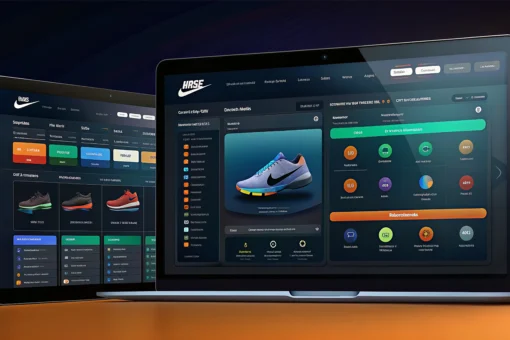
Dark mode, also called night mode or lights-out mode, transforms user interfaces by replacing traditional light backgrounds with darker hues like black or gray.
Websites with dark backgrounds effectively engage users by highlighting colorful content and supporting visual hierarchy. They also reduce glare and improve readability in low-light environments.
Why Use Dark Mode For Your Ecommerce Website
Here are some of the top benefits of dark mode for ecommerce websites:
1. Enhanced User Experience in Dark Mode Websites
Dark mode significantly reduces eye strain, especially in low-light environments. Reversing the traditional light-on-dark color scheme diminishes the emission of harsh blue light, which can cause discomfort and fatigue during prolonged screen use.
The high contrast between light text on black web pages enhances text readability, facilitating easier scanning and comprehension of content. This feature is beneficial for websites with extensive text-based content, such as product descriptions and customer reviews.
Dark mode fosters a more immersive and focused browsing environment by minimizing distractions. This quality is especially beneficial for dark mode websites, including e-commerce platforms, where users need to make critical purchasing decisions.
2. Improved Website Performance
Using dark mode for your ecommerce website can improve page loading speed by requiring less data. Dark-colored pixels need less processing power than light-colored pixels, resulting in faster loading times and a smoother user experience.
This improvement is crucial for websites with black backgrounds and dark mode websites, ensuring swift and efficient navigation for users.
Besides this, dark mode can significantly reduce mobile battery usage by displaying fewer bright pixels. This efficiency conserves power and extends battery life, making it particularly beneficial for ecommerce websites accessed on smartphones or tablets.
3. Marketing and Branding Advantages of Dark Mode
Using dark mode can help distinguish your website from competitors and establish an original brand image. It portrays elegance and innovation, attracting users who are both technology enthusiasts and have a keen eye for design.
Moreover, dark mode improves how visitors perceive a brand by creating feelings of exclusivity and luxury.
Dark mode is frequently linked with top-tier items and services like high-quality software, designer clothing, and luxury cars. This connection increases the attractiveness of websites with a black background and establishes them as high-quality choices.
4. Increased Visual Appeal
If your website is mainly image-based, or if it has certain visuals that you want to pop out, opting for a dark or black background will do the trick.
White or light backgrounds have the tendency to wash out images. Hence, using light mode is better if you want the imagery to blend into the background. On the other hand, since black has a receding quality, pictures with brighter colors stand out and instantly capture attention of visitors.
5. Accessibility Considerations
Dark mode enhances readability by providing a high-contrast color scheme. This capability is particularly beneficial for individuals with visual impairments or color vision deficiencies, promoting inclusivity on websites with dark backgrounds.
Besides this, dark mode helps alleviate motion sickness by minimizing bright colors and flashing animations, creating a stable and comfortable viewing experience. This consideration enhances usability for users sensitive to rapid screen movements on black web pages.
Related: Essential Web Design Elements to Maximize User Engagement
Factors to Consider When Implementing Dark Mode
Planning to give your website a makeover? Here’s what to keep in mind:
User PreferencesWhen implementing dark mode on websites, it’s essential to offer users the flexibility to toggle between light and dark modes.
This customization accommodates varying user preferences and enhances comfort based on different viewing environments.
Design ConsistencyMaintain design consistency across the entire website when integrating dark mode. Ensure that dark website backgrounds are applied uniformly to all pages, menus, and interactive elements.
This approach creates a seamless and cohesive user experience across websites with black backgrounds and reinforces brand identity.
Accessibility TestingConduct comprehensive accessibility testing to validate that dark mode meets established standards and supports usability for visually impaired users.
Verify that the high-contrast color scheme used in dark mode websites facilitates easy text readability and enhances visual accessibility without compromising functionality.
FAQs about Dark Mode in Ecommerce Website Design
1. What is a dark theme user interface (UI)?A dark theme UI features surface areas in darker shades, offering a striking contrast to light mode. It allows users to switch between dark and light modes based on their preferences.
Benefits of a dark theme UI include reduced screen brightness and minimized eye strain, enhancing overall user comfort and experience.
2. How can I create a dark-themed website?A group of UI/UX designers with a strong creative flair and an experienced web design firm may help you develop a website with a dark theme.
Their input is to the design and elevation, bringing light-colored information to the forefront of the otherwise black surface.
3. Is dark mode better for the eyes?Yes, dark mode is beneficial for your eyes as it reduces glare and minimizes exposure to harsh blue light. Users who often browse websites with light themes are more prone to eye strain and discomfort.
A dark theme UI eases interaction, making it more comfortable to view and engage with content without straining your eyes.
4. Why use dark mode in website design?Create an immersive user experience and keep up with the rising trend by designing your website or app in dark mode. It also contributes to improving the conversion rate and retention rate.
5. Is dark mode better than light mode?The answer depends on your brand identity and goals. Both dark and light modes offer unique advantages for website design, impacting user experience differently.
Make sure the theme, whether light or dark, aligns with your brand’s aesthetic and the specific needs of your audience.
Conclusion
The benefits of dark mode for ecommerce websites cannot be ignored. Dark mode enhances user experience with its dark backgrounds and improved readability on dark mode websites.
Integrating dark mode can have a transformative impact on ecommerce platforms, from performance optimization to brand differentiation and accessibility. It enhances visual appeal with dark backgrounds and improves readability on dark-mode websites.
This strategic integration ensures websites are not only visually appealing and functional but also accessible, meeting diverse user needs in today’s digital landscape.
on
4th of July Marketing Ideas for Small Businesses
Did you know American citizens spent about $15.8 billion on Independence Day festivities last year?
That’s right.
As we approach the 4th of July, small businesses have a golden opportunity to captivate a larger audience and boost their sales through strategic marketing.
In this blog, we’ll share multiple easy and profitable 4th of July marketing ideas. From dynamic email campaigns to digital branding initiatives, you’ll discover unique, out-of-the-box ideas that can differentiate your business and capture the holiday spirit.
Whether you’re looking for cost-effective website marketing solutions or creative ways to enhance your online presence, we’re here to guide you.
Let’s dive in and explore how you can make this 4th of July profitable and memorable for your business!
How to Make the Most of Independence Day 2024
Here are 15 simple yet effective 4th of July marketing ideas to make the most of this patriotic holiday:
Decorate Your Online Store
One of the most basic things you can do to make your store ready for 4th of July is plastering Independence Day branding all over it!
Make use of red, white, and blue hues, fireworks, and the American flag as symbols of patriotism. Consider adding Independence Day-specific pop-up messages and themed banners to add a festive spirit to your store.
This affordable website marketing technique can improve the buying experience and boost sales revenue.
Highlight ‘Made in USA’ Products
For Independence Day 2024, give your locally sourced/made products a boost by highlighting them on your website.
You can create a separate category page for Made in USA products, as this will help users easily find these products and encourage more purchases. You can also use this landing page for your 4th of July email marketing and social media campaigns.
Offer Themed Promotions & Discounts
Everyone enjoys a good bargain – especially around the holidays!
One of the best 4th of July marketing ideas is offering exclusive discounts on products that fit the patriotic theme. Or, if you like to keep it simple, you can opt for the usual free shipping or buy one get one (BOGO) offers.
You can also offer coupon codes like “JULY4” for extra discounts through social media and email campaigns. This brings us to our next point…
Send Out Email Marketing Campaigns
Regardless of what people say, email marketing is still an effective marketing tool.
For Independence Day 2024, you should send a series of emails leading up to the day with sneak peeks at special deals or new patriotic-themed products.
Make your 4th of July email marketing campaign successful with Klaviyo, an easy-to-use email marketing platform for creating eye-catching, conversion-driven emails.
Host Social Media Contests & Giveaways
Make use of social media channels to advertise your 4th of July offers. Use popular holiday hashtags, such as #IndependenceDay, #RedWhiteAndBlue, and #4thofJuly, to create interesting posts.
You can even contests and giveaways to increase your brand’s visibility, user engagement and collect user-generated content (UGC).
Here’s a simple and awesome idea: encourage customers to post photos with your products in a 4th of July setting, using a specific hashtag. Offer a prize for the best photo, which could be a discount, a gift card, or a special product bundle.
Create Exclusive Product Bundles
Another great 4th of July marketing idea is creating themed bundles with complementary products. For instance, you can create a BBQ Essentials bundle that includes grilling equipment, aprons, and sauces and offer a discount on it (10%-20% off usually does the job).
Such bundles encourage customers to make bigger purchases, thereby increasing your average order value and overall sales.
Leverage Interactive Content
Besides decorating your site with 4th of July banners and other promotional material, you should also focus on sharing written & video content related to the holiday, such as “How to Host the Perfect 4th of July BBQ” or “Top 10 4th of July Firework Displays”. You can even subtly promote products from your store in this content.
With the rise in popularity of live streaming, it may be a good idea to host a live event on social media, featuring a showcase of your 4th of July products or simply a discussion related to the history of Independence Day. This digital branding to engage users.
Organize or Promote A Local Event
Plan or support an event in your neighborhood organized for the 4th of July celebrations. This could be a marathon, fireworks, or parade. You can sponsor the event in exchange for promotion, or offer discounts to those who participate in the event. This digital brand strategy fosters communal goodwill while simultaneously raising business awareness.
Collaborate with Local Influencers or Other Small Businesses
To cross-promote your 4th of July deals, you can collaborate with other small businesses that sell complementary products or local influencers within your niche. This might include collective discounts or exclusive Independence Day bundles.
Collaborating with other businesses and influencers does not only increase your reach significantly; it also helps introduce your brand to an entirely new audience that may not be ready to purchase now but has a good chance of becoming your customers in the future.
Show Your Respect for the Veterans
You can show gratitude to active military personnel by providing exclusive discounts for them. This action not only respects their service but also enhances the brand’s reputation. Make a big deal out of these reductions in your web store and marketing content for better promotion.
This 4th of July marketing idea is a meaningful way to connect with the military community and boost brand loyalty.
Key Takeaways
Are you all set for one of the biggest shopping events of the year? If not, we hope this guide will help you get going!
Small businesses have a excellent chance to shine as July 4th draws near. Using creative 4th of July marketing ideas will help your brand stand out and draw in more clients. Just a little bit of affordable website marketing can go a long way in boosting your sales this Independence Day.
More than just a holiday, the 4th of July offers an opportunity to strengthen neighborhood ties and grow your business. Accept the spirit of patriotism and see your sales skyrocket!
on
How to Easily Find Your Competitors’ Google Ads
If you’re running a business or managing a marketing campaign, it’s crucial to know who your competition is. One way to identify your competitors in the pay-per-click (PPC) advertising space is through Google Ads.
Google Ads is a powerful tool that allows businesses to reach potential customers online through targeted ads. Using the right keywords, you can get your ads in front of people searching for products or services like yours.
But how do you find your competitors’ Google Ads? It might seem daunting, but with a few simple steps, you can identify and surpass your competition. You’ll start making data-driven decisions to improve your advertising strategy.
In this blog, we’ll discuss how to analyze the industry and your competitors’ Google Ads strategies. We’ll also share some actionable steps to help you refine your approach and achieve better results.
First, let’s talk about why it’s important to analyze your competitors’ Google Ads.
The Importance of Google Ads Competitor Analysis
Understanding what your competition is up to in Google Ads can help you in the following ways:
Planning Your Strategy: When you know what your competitors are doing, you can make smart choices. For instance, figuring out the keywords they use or the message they convey in ads helps you plan your ads better.
Setting A Budget: If you know where your competition is putting their money, you can be smarter with yours. No need for bidding wars on super competitive words – focus on the ones that bring in the most leads.
Identifying New Opportunities: Watching your rivals can uncover hidden chances. Maybe they missed a keyword or a particular audience. Sneak in and grab that opportunity for yourself!
Writing Better Ad Copy: Take a look at your competitor’s ad copy and see what makes them unique. Can you say it even better or highlight something they missed?
Improving Your Landing Page: If your rivals are getting more conversions, it might be because of the landing pages they’re using. Take a look, get inspired, and make your page even better.
Staying in the Game: The digital sphere keeps evolving. Keep an eye on what others are doing in their ads. Adjust your strategies when there are new players or when your competition tries something new.
Steps to Conduct A Quick Google Ads Competitor Analysis
Here’s a simple step-by-step guide to conducting a free Google Ads competitor analysis:
Step 1: Jot down the keywords you are currently running ads for or considering.
Step 2: Run your keyword list through Google Ads Keyword Planner and refine it based on the recommendations provided by the tool.
Step 3: Search for key terms related to your business and note the names frequently appearing in the search results.
Step 4: Use free or budget-friendly competitive analysis tools like Semrush to gather insights into your competitor’s advertising strategies, such as their ad copy, targeted keywords, etc.
Step 5: Cross-check the information obtained in Step 4 with the data collected in the rest of the steps to identify gaps, strengths, and areas for improvement in your ad campaigns.
Performing a Detailed Competitor Analysis Using Google Tools
Let’s dive deeper into the Google Ads Analytics and Reporting features to understand how competitors structure their campaigns, the types of ads they run, and the audiences they target.
Although Google has limited data available for a competitor analysis, you can still leverage different Google tools to spy on your competitors.
Here’s how to do it:
Leverage organic research for competitive analysisUse Google Search Console to investigate competitors’ websites, content, and backlinks. Thoroughly review their SEO tactics and general online visibility to guide your marketing initiatives.
Use Auction Insights Report to compare performanceGain insights into your competitors’ impression share, average position, and overlapping areas through the Auction Insights report. Identify who is bidding against you, their bids, and how they compare. Adjust your bids strategically to maintain competitiveness.
Perform competitor benchmarking with Google AnalyticsIf you’re wondering, “Can I use Google Analytics for competitor analysis?” The answer is yes. Benchmark competitors’ performance with Google Analytics. Comprehend their advertising tactics and overall website performance.
Data from Google Search Console can be used to get more information about your main competitor’s products, sales, and marketing strategies.
Identify new opportunities with Google Ads Keyword PlannerUse this tool to see keyword opportunities. Analyze competitors’ unique keywords and integrate them strategically into your campaigns.
How to See Competitors’ Google Ads Info Using Third-Party Tools
We use third-party tools to gather information to advise the campaigns we run. These are useful for filling in gaps created by Google’s limitations and building out the list of insights you have to inform through your campaign.
Some of them include:
Ahrefs – Paid Keywords
Note: You’ll need a subscription to use these tools for domains you don’t own/aren’t responsible for.
Sign in to Ahrefs
Head to the ‘Site Explorer’ in the top navigation bar
Enter a URL
Click ‘Paid keywords’ in the sidebar
This report gives various information about a website’s ads.
Ahrefs says their CPC data might not be super accurate, but you can double-check by looking at the top-of-page bid info in Google Ads Keyword Planner to get better insights.
Why it’s useful: This gives a selection of data that provides insights into paid vs organic performance for key terms, and lets you see what type of traffic you might expect.
Ahrefs – Ads
Note: You’ll need a subscription to use these tools for domains you don’t own/aren’t responsible for.
Sign in to Ahrefs
Head to the ‘Site Explorer’ in the top navigation bar
Enter a URL
Click ‘Paid keywords’ in the sidebar
Click ‘Ads’ in the sidebar
This report gives at-a-glance information on the content and ongoing performance of specific ads. Watching how your competitors’ ads do over time is a handy part of competitor analysis.
We suggest dedicating some time to review this report.
Keep an eye on your ads, too. It’s an intelligent way to track their performance. If you use Ahrefs, you can include this data in the client reports you create.
Why it’s useful: Seeing how ads perform over time is a great way of reviewing the impact of changes you make to the campaign configuration.
Semrush – Paid Report
Note: You’ll need a Semrush account to use this tool.
Sign in to Semrush
Navigate to Domain Overview under Advertising in the sidebar
Enter your competitor’s domain and hit Search
This report will give you a complete analysis of your competitor’s domain and its online visibility. You’ll also be able to discover the top keywords that bring the most traffic from the organic and paid channels for the particular domain.
Semrush – Advertising Research
Note: You’ll need a Semrush account to use this tool.
Sign in to Semrush
Navigate to Advertising Research under Advertising in the sidebar
Enter your competitor’s domain and hit Search
This is an in-depth report that will help uncover your competitors’ ad strategies and budgets, along with their ad spends, most profitable ad copy, and examples of their live ads. It’s a must-have tool for all paid media specialists.
Final Thoughts
Keeping an eye on your competitors’ Google Ads is important to create a strong advertising strategy. It allows you to make informed decisions, improve your ad campaigns, and stay ahead in the dynamic digital landscape.
Use Google Ads Keyword Planner, Semrush, and Ahrefs to discover important details about your competitors. These tools reveal insights into their keywords, ad performance, and overall strategies. This knowledge empowers you to refine your approach, optimize your budget, and seize new opportunities in the market.
Remember, it’s not about copying but learning and adapting. Better ads and improved landing pages are the results of a successful Google Ads competitor analysis.
Follow our blog for more tips and guides to help you succeed in the world of ecommerce!
Disclaimer: This article contains affiliate links, meaning we may earn a commission at no extra cost to you if you purchase through them. Our commitment to honesty means we only recommend tools and products we truly believe in, ensuring our recommendations are genuine and not influenced by potential earnings.
on
What Is Paid Media? Definition, Types, and Best Practices
Paid media is a crucial part of digital marketing.
You might be already familiar with the term, but in case you aren’t, here’s a simple definition:
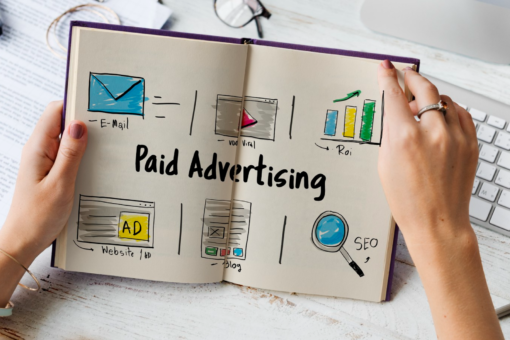
Paid media is a form of digital advertising that involves sponsored content to promote a brand’s products or services.
Using paid media services is an effective way of reaching your specific audience and tracking your performance. With the right strategy, this tool can help your business grow quickly.
In this article, we’ll discuss the different types of paid media and best practices to make your paid media efforts a success.
But first, let’s understand how paid media is different from earned and owned media.
Difference between Earned, Owned, and Paid Media
Your brand’s content strategy is made up of earned, owned, and paid media. Each type has a specific purpose in the sales funnel, helping to create a well-rounded digital presence.
Earned Media
Earned media is the response your brand has ‘earned’ from people, like reviews and social media shares. It’s crucial for the top of the funnel when customers first engage with your brand, as it helps boost your reputation. You can get more earned media by encouraging reviews, running UGC contests, and so on.
Owned Media
Owned media is content created by your brand, such as blog posts and social media posts. This content is more relevant to customers in the middle of the sales funnel who already know about your brand. It’s crucial for generating organic traffic and engagement, giving your audience a deeper understanding of your products or services.
Paid Media
Paid media involves advertising space you pay for, often on social media or search engines. It can increase awareness at the top of the funnel or drive sales at the bottom. It can help boost your traffic and conversions but can be risky without a good strategy. Hence, developing a strong paid media plan is essential before spending any money.
Types of Paid Media
The main types of paid media used in digital marketing include:
Pay-Per-Click (PPC) Advertising
Also known as Search Engine Marketing, PPC advertising displays ads on search engines like Google and Bing. These ads appear when the user search query includes keywords related to your ad.
They provide two main benefits:
The audience will be very interested in your results since they conducted a related search.
Your position in search results will be optimized to increase the probability of a click or conversion.
Popular paid media platforms for PPC advertising include Google and YouTube.
Social Media Advertising
The most common and extensively used type of paid media is advertising on social media. According to Statista, businesses spend over $225 billion annually on social media advertising. That’s right.
This type of paid media involves running ads on social platforms, including Facebook, Instagram, and Twitter. These ads may include promoted posts, sponsored content, and display ads.
Some popular paid media platforms for social media advertising include:
Meta: Supports highly targeted creative and detailed audience segmentation. Ideal for image, video, and social media campaigns.
LinkedIn: Offers paid promotions on its feed and messaging. Great for targeting professionals and B2B audiences.
Twitter: Allows promoted tweets, accounts, and trends. Useful for reaching niche audiences and influencers.
Pinterest: Enables Promoted Pins targeting Pinterest users. Mainly visual ads that make it suitable for specific brands.
Snapchat: Offers vertical video and innovative formats to engage younger audiences. Useful for brands targeting Gen Z and Millennials.
TikTok: Offers native advertising experience on its feed. Great platform for targeting younger audiences like Snapchat.
Display Advertising
This type of paid media involves placing visual advertisements (pictures, videos, or rich media) on unaffiliated websites, applications, and gaming sites. The goal of these advertisements increasing brand recognition. By running advertisements on these other websites, you may reach out to new audiences who could be interested in your business.
Targeting the appropriate people becomes essential since display advertising has the potential to add clutter to web pages. Concentrate on working with partners on projects involving the goods and services offered by your company.
Various ad networks and platforms are available for display advertising. The most popular one is Google Display Network (GCN), which comprises of millions of websites and apps.
Video Advertising
As the term suggests, video advertising refers to ads in specifically video format, placed on platforms like YouTube, Hulu, or within social media feeds. These include pre-roll, mid-roll, and overlay video ads.
Video ads are growing because they are still very profitable paid advertising. The secret is to match your ad to the video’s topic and target demographic so people will naturally be interested in your offering.
Marketers can use a variety of capabilities on YouTube to target their sponsored advertising. Your ad can appear in videos that cover specific subjects or align with particular keywords. In addition, you have the option to specify exclusions for any specific films you wish to stay away from.
The most popular platform for video advertising is Youtube, the largest video-sharing platform, which allows for a wide reach and various targeting options.
Affiliate Marketing
This type of advertising entails partnering with influencers and other professionals to promote products or services. The partner is provided with an affiliate link or promo code to help capture part of their audience as customers. In return, they receive a commission on every purchase.
One of the most popular platforms for affiliate marketing is Amazon.
Out-of-home (OOH) and digital out-of-home (DOOH)
Marketing materials used in out-of-home (OOH) advertising include posters, pamphlets, and billboards. This also covers digital out-of-home (DOOH) advertising, such as the massive LED billboards in Times Square. Like any other kind of paid advertising, OOH and DOOH campaigns have the potential to be successful when carried out strategically.
Just as important as the material itself is where you choose to target your OOH messaging. Subway ads in New York City usually feature ads for local fashion brands, food delivery services, jobs, and other things essential to many commuters.
Paid advertisements can increase leads, sales, and website traffic. So the real question is, how can you maximize the effectiveness of your advertisements?
Let us answer that question for you.
Paid Media Best Practices
Here are some tips to enhance your paid media efforts and achieve success in the long term:
Define Your Goals and KPIs
Start by identifying your core campaign goals: do you want to drive more traffic to your site, increase brand awareness, or maximize your sales? Answering this question can give you direction about your paid media efforts.
It’s important to ensure your goals are specific and quantifiable, i.e., what percentage increase are you expecting in your site traffic or revenue?
Choose 2-3 key performance indicators (KPIs) to measure your performance at the end. KPIs should be quantifiable metrics directly tied to your objectives. Examples include click-through rate, cost per lead, reach, and conversion rate.
Align Your Objectives with Goals
The secret to the best results of paid ads? Your campaign goals shouldn’t be isolated! They must align with broader business aims. If your overall goal is revenue growth, ensure your campaign KPIs and objectives reflect that.
Mismatched goals lead to wasted ad spend and missed opportunities.
Get input from stakeholders in other departments. Think about how well you do on marketing indicators, like leads or website traffic. Connect these to important outcomes like sales, return on investment (ROI), or other key measures. You should develop objectives supporting organizational success.
Clear goals and measurable indicators of business success give you a strong foundation. This base helps improve performance, show the campaign’s value, and guide critical decisions.
Budgeting and Bid Management
Bidding and budgeting determine what you pay for ads and how effectively they reach your target audience.
Consider your bid as the ticket price for every click on your ad: let’s say you’re throwing down $2 for each click, and to keep it going, you set a daily budget of $20. Your ad runs until the daily budget is fully spent.
Here’s the deal: you must find the perfect balance between your bid and budget. You want enough clicks to make a splash without breaking the bank.
How do we create that balance for Google ads? Let’s see:
Set your target CPA (cost per acquisition): You choose how much you want to spend for a conversion, and Google adjusts bids to meet that average. It’s best for accounts with at least 30 conversions in the past 30 days.
Set your target ROAS (return on ad spend): This can help you maximize your revenue. It works well for accounts with at least 50 conversions in the past 30 days.
Utilize enhanced CPC (ECPC): This tool helps with cost-per-click (CPC) optimization, as bids are based on the likelihood of conversion. Google removed the 30% bid cap in May 2017. It works best for accounts with at least 30 conversions in the past 30 days and can be used with manual bidding.
Regularly monitor your campaign performance: A few key performance indicators (KPIs) might offer insightful information when assessing the effectiveness of advertising efforts.These include click-through rates (CTR), conversion rate (CVR), ROAS and CPA.
Adapt to trends and algorithm changes: How your ads are shown might be affected by the frequent algorithm changes online advertising networks make. Hence, make sure to keep up with the most recent algorithm changes and make changes where necessary.
Utilize Retargeting and Remarketing Strategies
Remarketing is a potent strategy for reconnecting with potential customers who visited but didn’t convert. By targeting these warm leads, you can significantly increase the chances of conversion.
Key techniques for retargeting include:
Segment your audience and use dynamic ad content
Display personalized ads based on users’ search queries or browsed products
Limit ad views over time to avoid overwhelming your audience and maintain relevance
Attract return visits with special discounts highlighted in your remarketing ads
Expand efforts across multiple platforms for broader audience engagement
Monitor metrics, identify underperforming elements, and make data-driven improvements for an effective campaign
Conclusion
Paid media is crucial for digital marketing. It includes PPC advertising, social media advertising, display advertising, video advertising, affiliate marketing, and out-of-home (OOH) advertising. Each type serves a unique purpose in reaching target audiences and promoting products or services.
Using the paid media best practices we’ve highlighted above, businesses can enhance their online presence, drive more website traffic and make their paid media efforts successful.
Follow our blogs on Ecom Buzz for more tips and tricks to help you succeed in the world of ecommerce!
on
A Guide to Understanding E.E.A.T. in SEO
In the Search Engine Optimization (SEO) world, staying on top of the latest trends and best practices is crucial for maintaining a competitive edge. One such concept that has gained significant importance recently is E.E.A.T.
Google, the leading search engine, uses E.E.A.T. as a crucial factor in evaluating the quality and relevance of web pages.
In this article, we’ll discuss what E.E.A.T is, its significance, and how to optimize your site for this update.
What is E.E.A.T. in SEO?
E.E.A.T is a concept introduced by Google in its search quality guidelines and is used as a criterion to assess the quality of web pages and content.Initially, it was just E.A.T., which stood for Expertise, Authoritativeness, and Trustworthiness. In 2022, Google added an extra E, which represents Experience.
Let’s take an in-depth look at each of the components:
Experience
Experience is the most recent criterion added to Google’s rater rules, as was previously indicated. It evaluates if the writing is correct or not by highlighting the experience the author has expressed in their work.
Simply put, the goal of this element is to ensure that even while you’re sharing personal experiences, the material must still be accurate, current, and backed up by reliable statistics. Thorough research and fact-checking should be complemented, not replaced, by experience.
Expertise
The topic’s knowledge, professional or personal experience with the subject, and any applicable qualifications of the author are often used to assess their level of competence. Although there is a crucial distinction to be aware of, the line separating knowledge from experience can appear relatively thin.
Expertise is required while discussing sensitive subjects. Google anticipates that such information will originate from people with the necessary credentials, such as medical experts providing health advice.
It’s important to remember that information should be fact-checked, up-to-date, supported by reliable sources and presented clearly and intelligibly. Your material’s quality and credibility may increase with expertise and appropriate experience.
Authoritativeness
Authoritativeness applies to the creator of your work or the company that represents it. To establish authority, your material must rank among the top resources for knowledge about your sector.
The availability of high-quality backlinks from other trustworthy websites is one of the most critical determinants of authoritativeness. These backlinks tell Google that different people value and reference your material, which elevates your authority in search results.
Additionally, you may increase your authority by receiving mentions or acknowledgements from reputable organizations and recommendations or testimonials from professionals or influential people.
Your authority will also grow if you interact with your audience through comments, critiques, and lively discussions. Users can further authenticate your knowledge by displaying how much they appreciate your information. With a sizable following or strong interaction rates on social media, you may also prove your authority there.
However, it’s crucial to balance authority, knowledge, and reliability. High authority with the required expertise or trust might result in accurate information or improved trustworthiness.
Trustworthiness
Combining each principle of experience, skill, and authoritativeness yields trustworthiness. Simply put, your information should be credible and accurate, provide sources, and include trustworthy ways for users to reach you if they have questions.
To establish trustworthiness, it’s crucial to rely on credible sources with references and citations while regularly updating your website’s content.
You must also remember that transparency is key; sharing credentials, affiliations, and potential conflicts of interest helps users understand your content’s perspective. A clear privacy policy and terms of service instil confidence in how user data is handled.
Prioritizing website security with ‘https’ ensures the protection of user data and a safe browsing experience. A user-friendly, responsive website with a clear layout, fast load times, and prompt customer service responses builds user trust.
Importance of E.E.A.T. in SEO
Google aims to assemble all knowledge and make it valuable and accessible. E.E.A.T. is a component of Google’s continuous effort to deter system abuse (such as keyword spamming) and reward trustworthy, high-quality content.
E.E.A.T. is important because it enables Google to guide users to the best, most helpful material in response to their search query. The goal is to improve online content for human users.
The material’s reliability guarantees Google users a secure surfing experience, especially for individuals vulnerable to fraud or identity theft. Inadequate E.E.A.T. signal optimization may decrease traffic, leads, income, and poorer ranks.
If you cannot prove your experience, knowledge, authority, and reliability, Google will prioritize your rival’s content and refer potential consumers to it rather than your own.
How to Optimize Your Website for the E.E.A.T. Update
Ensuring your website’s SEO approach aligns with Google’s E.E.A.T. update is one of the keys to success in the digital world.
Depending on the focus point of the page, several criteria must be met to get a high E.E.A.T score. The standard is higher for Y.M.Y.L. (Your Money or Your Life) subjects and topics with high competition.
However, there are certain E.E.A.T guidelines that you must follow regardless of the subject or industry. These include:
Provide Accurate and Verifiable Information
To boost your E.E.A.T. score and improve SEO, ensure your content is accurate and easily fact-checkable. Supporting information with references and credible sources is essential while avoiding connections to questionable websites.
Prove Your Organization’s Authenticity
Go beyond surface-level claims to establish authenticity and bolster your website’s E.E.A.T.
Create a comprehensive “About Us” page, share team bios, display contact information and photos of your operations, and highlight certifications and awards. Showcasing community involvement also contributes to building trust and credibility.
Make Contact Details Easy to Find
Enhance your website’s trustworthiness by providing easy access to contact information. A dedicated “Contact Us” page with multiple contact points, such as email and phone number, establishes open and transparent communication with your audience.
Be Transparent
Strengthen your website’s trustworthiness by practicing transparency, ethics, and user safety. Disclose potential conflicts of interest, offer clear privacy policies and terms, engage in open communication, showcase genuine user testimonials, and share company policies and practices.
Regularly update policies and address feedback to maintain credibility.
Showcase Your Expertise
Demonstrate expertise by highlighting subject experts’ qualifications, affiliations, and experience. Consider including expert quotes in your content or inviting industry professionals to contribute.
For Y.M.Y.L. topics, prioritize content from individuals with relevant qualifications and credible sources.
Champion Authentic Reviews
Encourage sincere client testimonials to demonstrate your competence and win over your audience. React quickly and professionally to feedback, whether favorable or negative.
Create case studies about satisfied customers to enhance trustworthiness.
Secure High-Quality Backlinks
Focus on obtaining relevant and authoritative backlinks from reputable websites to build E.E.A.T. Prioritize quality over quantity and avoid “black hat” link-building tactics. Valuable backlinks act as endorsements, signaling to Google the trustworthiness and relevance of your content.
Parting Thoughts
In the ever-evolving landscape of SEO and marketing strategies, understanding and implementing Google algorithm updates, such as the E.E.A.T. principles, can help maintain your website’s rankings and overall online visibility. You can improve your website’s performance in search results and build your brand as a trustworthy information source in your field by emphasizing experience, authority, and trustworthiness.
Always keep in mind that optimizing for E.E.A.T. requires constant work. Regularly update and refine your content, engage with your audience, and continue to build your authority in your niche.
Doing so will create a strong foundation for sustained SEO success and a loyal audience that trusts your expertise.
on

8 Essential Web Design Elements to Maximize User Engagement in 2024
Crafting a compelling web design goes beyond just having a great concept. It involves creating an online environment that captivates and satisfies its users. Your website should transcend being a simple digital presence in the vast web; it ought to be an immersive experience.
How can this be accomplished? The key is to become skilled in the basic principles of web design. These principles are the foundation for building a visually appealing website. That, in turn, provides a great user experience for visitors.
In this article, we share the 10 key web design components for maximizing user engagement in 2024. We’ll see how features like mobile responsiveness, loading speed, and simplicity are crucial in creating a standout website.
Let’s get started!
1. Navigation
Creating a website that’s easy to navigate is based on one fundamental principle: simplicity. Your website visitors expect to locate the information they seek quickly. This involves maintaining clarity and easy navigation.
In web design, simplicity is about focusing on the important elements and avoiding unnecessary mess. Easy website navigation acts as a roadmap to assist users in quickly locating their desired information. It motivates them to remain on the site for an extended period, allowing them to thoroughly discover everything it provides.
A survey found that upon their initial website visit, 38% of visitors paid attention to navigational links and layout. But how do you make your website easy to navigate? Here are a few things that might help:
Align navigation with business objectives
Limit menu options
Split categories visually for easy navigation
Make your website optimized for mobile and other devices
Incorporate multiple calls-to-action (CTAs) throughout your website
Implement sticky navigation and back-to-top button
Utilize footer navigation
Add a search bar with autosuggest
Facilitate easy page transitions
Use colors strategically to highlight important information
2. Mobile Responsiveness
With mobile commerce on the rise, it’s crucial for ecommerce stores to ensure their websites are mobile-optimized.
What makes mobile-friendliness so important? Consider this: More than half of website visitors worldwide use mobile devices. Furthermore, Think With Google states that 79% of individuals are inclined to revisit or share a mobile site if it’s mobile-friendly.
Here are a few ways you can make your website mobile responsive:
Opt for a responsive theme for easy loading
Reduce image and CSS file sizes for quicker load time
Adjust button dimensions to make them easy to click
Use a font that’s easy to read on small devices
Remove intrusive pop-ups or optimize them for phone
Improve forms and input fields
Conduct regular testing on mobile devices
3. Load Speed
In the digital world, website loading speed is crucial. Even a slight delay in page load time can lead to significant drops in user engagement as slow-loading web pages frustrate users, causing them to leave the site.
Here are some ways you can tweak your website’s design to improve its loading speed:
Compress images, videos, and other content and improve server response time
Ensure fast and reliable hosting for consistent website performance
Implement lazy loading techniques to prioritize content loading as users scroll
4. Accessibility
Another crucial aspect of a user-friendly web design is accessibility. This element focuses on improving website accessibility for people who have visual, auditory, motor, and cognitive disabilities.
You can incorporate accessibility in web design by adding tools like text-to-speech, alt-text for images, and easy-to-read fonts. These modifications can help expand your reach and assure compliance with web accessibility standards. However, incorporating accessibility goes beyond just meeting legal requirements; it demonstrates a commitment to social responsibility, which can improve your website’s reputation.
Implementing the Accessible Rich Internet Applications (ARIA) specification can further enhance a website’s accessibility. It provides specific markups for assistive technologies like screen readers that help users interpret and interact with web content more effectively.
5. Typography
Typography is another important element of a user-centric web design. Choose fonts that complement your website’s visual aesthetic and ensure easy readability. Commonly used web-safe fonts like Arial can ensure uniformity on different browsers and devices.
Moreover, restricting the selection to only two or three fonts enhances the overall design unity. It prevents the website from appearing fragmented.
The use of appropriate font sizes is also crucial for readability. Text that’s too tiny can strain the eyes, while large text can interrupt the reading experience. You must find suitable font sizes for headings and body text.
Ensuring that your website’s typography is optimized for multiple screen sizes is crucial. This can be done by making necessary font sizes and line spacing adjustments. Utilizing various font weights and styles to establish hierarchy and emphasizing important content sections enhances readability and user experience.
6. White Spaces
Negative space, also called white space, refers to the vacant areas amidst design elements in a layout. Maintaining a clean and visually attractive design is essential for a high-performing website, and white spaces can help. When used correctly, white space improves how easily users can read content and guides them efficiently.
Here are a few tips to help you achieve a uniform and attractive design:
Avoid excessive or insufficient white space
Ensure consistent spacing in margins and padding
Utilize empty spaces to establish a structure that highlights critical components
Leave space for important elements such as navigation menus and headers
7. Interactive Elements
The ultimate goal of every website is some sort of action – be it a click, signup, or purchase. This goal is achieved through interactive elements.
Elements that allow user interaction, such as calls-to-action (CTAs), forms, and micro-interactions, play a vital role in increasing user engagement, retention, and conversions. Hence, they should be strategically positioned and stand out visually from other elements.
Here are a few tips to help you do that:
Use vibrant colors that stand out against your website’s background to highlight CTAs and forms
Position your CTAs and forms in focal areas with plenty of whitespace to make them easily noticeable
Choose bold and large fonts to enhance the readability of these elements
Add hover effects and animations to CTAs and forms to encourage engagement and signal interactivity
8. Quality Content
User-friendly web design isn’t limited to visuals only; the quality of your content matters, too. To boost search engine ranking, produce content that’s optimized for SEO. In simple words, aim for content that showcases knowledge and offers value to users in an authoritative manner.
So, how can you improve your content quality? Here are a few tips to help you:
Make sure the content is relevant to your offering and adds value to it
Avoid posting content with fluff or irrelevant content, keyword stuffing, and subpar SEO techniques
Use short headlines and sentences and break down long paragraphs into short ones
Incorporate E-E-A-T (Expertise, Experience, Authoritativeness, Trustworthiness) principles in your content
Related: A Guide to Understanding E-E-A-T in SEO
Summing It Up
Knowing (and understanding) the fundamental concepts of a user-centric web design is important to keep your website running smoothly, get more traffic, and increase your conversions.
This blog post covered the 8 must-know web design principles for UX/UI designers, web developers, and online business owners.
To improve your website’s visibility and traffic, focus on accessibility, loading speed, and providing quality content for your target audience. Typography, attractive visuals, and purposeful white spaces can help enhance the user experience, while interactive features such as buttons and forms increase user interaction and conversion rates.
By following web design best practices, you can easily set up your website for success in 2024.
Follow us on Ecom Buzz for more tips and tricks!
on

Essential Ecommerce Marketing Strategies for 2024
Did you know that global ecommerce sales are projected to reach a mind-boggling $6.9 trillion by 2024? Yes, you read that right! The ecommerce industry is booming, and it’s a great opportunity for you to scale your business and boost your revenue through ecommerce marketing.
But here’s the catch: with tons of ecommerce stores competing for attention, how do you make yours stand out in 2024?
We’ll tell you how in this blog post.
Here are 9 essential ecommerce marketing strategies to take your online store from zero to hero in 2024:
1. Make customer satisfaction your top priority
It’s important for e-commerce stores to provide an excellent customer experience. You can do this by personalizing shopping, improving communication processes, and providing an appealing user experience.
Ensuring complete customer satisfaction is one of the keys to success in ecommerce. You can do this through personalization, providing top-notch customer service, and a smooth user experience.
Let’s dive deeper into it:
Personalization in Ecommerce
Make your customers feel valued by catering to their unique needs and preferences. Set up cookies and heatmaps to collect data regarding customer preferences and leverage that data to provide personalized product recommendations, exclusive discounts, and more.
Customer Service
Leverage technology to enhance communication with customers. Use chatbots and live chat tools to provide customer support and instantly resolve queries around the clock. Train customer service agents to supplement chatbot interactions for an enhanced experience.
You can have dedicated FAQ pages to assist customers in their decision-making process.
User Experience
According to a study, 88% of users are less likely to return to a site after a negative user experience. This shows that a visually appealing and user-friendly ecommerce website or app doesn’t just help convert visitors into customers, but it also helps retain them.
Ensure that your ecommerce store is easy to navigate, allowing users to find what they need quickly. Use compelling copy and visuals to grab their attention immediately.
Optimize your website for mobile (as most people access the internet on mobile devices these days). You must also ensure it loads quickly to avoid frustrating customers. The checkout process should be simple, following established conventions to prevent confusion.
Better customer experience can help you stay ahead of your competition and raise brand awareness!
2. Pay attention to SEO
We often hear organic traffic is dead, but it’s still pretty much alive. It remains one of the top sources of web traffic in 2024 (and a crucial aspect of ecommerce marketing).
Everyone knows that just ranking on Google isn’t enough; you must ensure your website appears on the first page of search results.How do you do that? Let us tell you!
Use keywords strategically throughout your site content
Identify potential customers’ words and phrases when searching for products online and incorporate them into your website content. This can improve your search rankings and attract relevant traffic. Make sure you don’t stuff keywords and only use relevant ones.
Optimize your product pages to enhance visibility
Ensure your product page is easy to navigate, has clear headings and meta tags, and is mobile-friendly. Use high-quality, relevant, and user-friendly content. Pay attention to keyword placement and keep your title length under 60 characters to maximize visibility.
Optimize media for the web to improve website performance
Large images can slow down your website, negatively impacting SEO and user experience. Use web-optimized file formats like WebP for high-quality images that don’t compromise page speed. Adding descriptive alt text to images can also enhance SEO and improve accessibility.
Utilize content marketing to build your audience
Create compelling, keyword-rich content such as guides and industry insights to engage users and build trust. Encourage social sharing to create a community, expanding your reach and customer loyalty.
Consider technical SEO aspects of your website
Technical SEO ensures search engines can crawl and index your content effectively. This can improve overall website performance. Increase web loading speed by reducing file sizes and ensuring clear and descriptive URLs. Also, add an SSL certificate for a secure connection.
Implementing these SEO strategies can enhance your e-commerce website’s visibility. You can attract more organic traffic and increase your chances of converting visitors into customers.
3. Dive into affiliate marketing
Launching an affiliate marketing program is like teaming up with others to spread the word about your products. It’s a way to make more people notice your online store and boost sales with new customers.
And guess what? E-commerce affiliate marketing is awesome because it doesn’t cost a ton. You can collaborate with influencers or use user-generated content to add social proof to your site. Your brand gets introduced to many potential customers, and your sales go up!
4. Don’t forget social media marketing
Social media is like your digital marketing superhero! Platforms like Facebook, Instagram, TikTok, and the mysterious X have many peeps scrolling and tapping away. Use them right, and your e-commerce store can turn those scrollers into happy customers.
Post cool product pics, share messages, and sprinkle links with catchy hashtags. That way, you grab attention and lead your followers to your website. Regular posts also help get more customers talking about you. It’s like word of mouth, but online!
You can also answer questions, tackle complaints, and boom – you’ve got yourself a loyal community. It’s like having an online fan club for your store!
Feeling adventurous? Throw some ads on podcasts. Find shows that match your target audience, and voila! Your brand is reaching new ears.
Social media isn’t just social; it’s your store’s megaphone to the world!
5. Utilize email marketing to boost lifetime value
Adding an email sign-up option to your website is a savvy move for increasing customer retention rate and lifetime value. It’s like a direct channel to keep your clientele informed about upcoming sales, discounts, and new product launches.
But how to get them to sign up?
Offer your website visitors sweet deals like discounts, free shipping, or maybe even freebies. Get them excited about signing up, and make it irresistible. It’s like a little VIP treatment for them.
Keep your email game strong: set up automation, including welcome email flow, abandoned cart flow, post-purchase flow, and more, to retain customers and recover lost revenue.
After you hit send, check out the business analytics. See how your customers feel about those emails and update them as you see fit.
6. Incorporate real customer reviews
When you talk up your products, it’s one thing. But when your customers rave about your stuff, it’s a ticket to convincing others to jump on the bandwagon and grab your products. It’s that extra push people need to hit that “buy now” button.
Most people plaster these reviews on their homepage and product pages, but here’s a genius move – throw them into your email campaigns! Take a page from Firebox’s book – they use testimonials as product descriptions in emails. Short, sweet, and straight from those who’ve fallen in love with your goodies.
If you’re just starting and need social proof, you can offer discounts or credits to happy customers who share reviews.
Let your customers talk, add those reviews everywhere, and watch your e-commerce game level up!
7. Get into paid media (if you already aren’t)
Paid marketing is a quick and effective way to get more traffic to your site. You post a sponsored ad, and when someone clicks, they’re redirected straight to your site. Now, all you need to do is convert them into your customers.
There are a few things to keep in mind to achieve success in paid marketing. First things first, your ad needs to be clear and appealing. People should glance at it and instantly know what you’re offering.
Secondly, make sure your landing page is on point because when people click your ad and land on your page, it’s showtime. Your landing page needs to be the VIP section of your site. No distractions, just the good stuff you promised in the ad.
8. Leverage video marketing
Guess what’s grabbing everyone’s attention these days? Video content.
Did you know that 91% of businesses used video as a marketing tool in 2023? Yes, that’s right. So if you aren’t using video marketing, you’re missing out on a good deal of business.
Here are three video marketing ideas you can use for your ecommerce store:
Show off your goods: Make a detailed video highlighting the features of your product or service. This can clear confusion, answer questions, and convince your customers to buy because the more they know, the better the chances of conversion.
How-to videos: This is a great way to promote your products or services organically. A relevant example would be makeup artists recording tutorials with sponsored products. This helps highlight your products’ performance and also acts as an endorsement.
Customer testimonials: No matter what industry you are in, social proof works very well in convincing people to buy your product or service. Stick your customers’ happy faces in video testimonials, and see how well it works!
9. Reward loyal customers
Want to retain your customers and turn them into your brand ambassadors? A loyalty program is the way to go!
You can offer your customers discounts, free shipping, or other incentives to encourage repeat purchases and increase their lifetime value to your business. Moreover, these customers will also likely engage in word-of-mouth marketing, giving your ecommerce store a boost.
Wrapping It Up
Running an ecommerce business means being on your toes all the time.
You need to constantly monitor and tweak your marketing strategy based on seasonal trends, evolving customer preferences, and algorithm updates. However, these 9 ecommerce marketing strategies can help you conquer the ecommerce sphere in 2024 and beyond.
Ready to make 2024 your most successful year? Implement these strategies and see your business thrive this year!
on